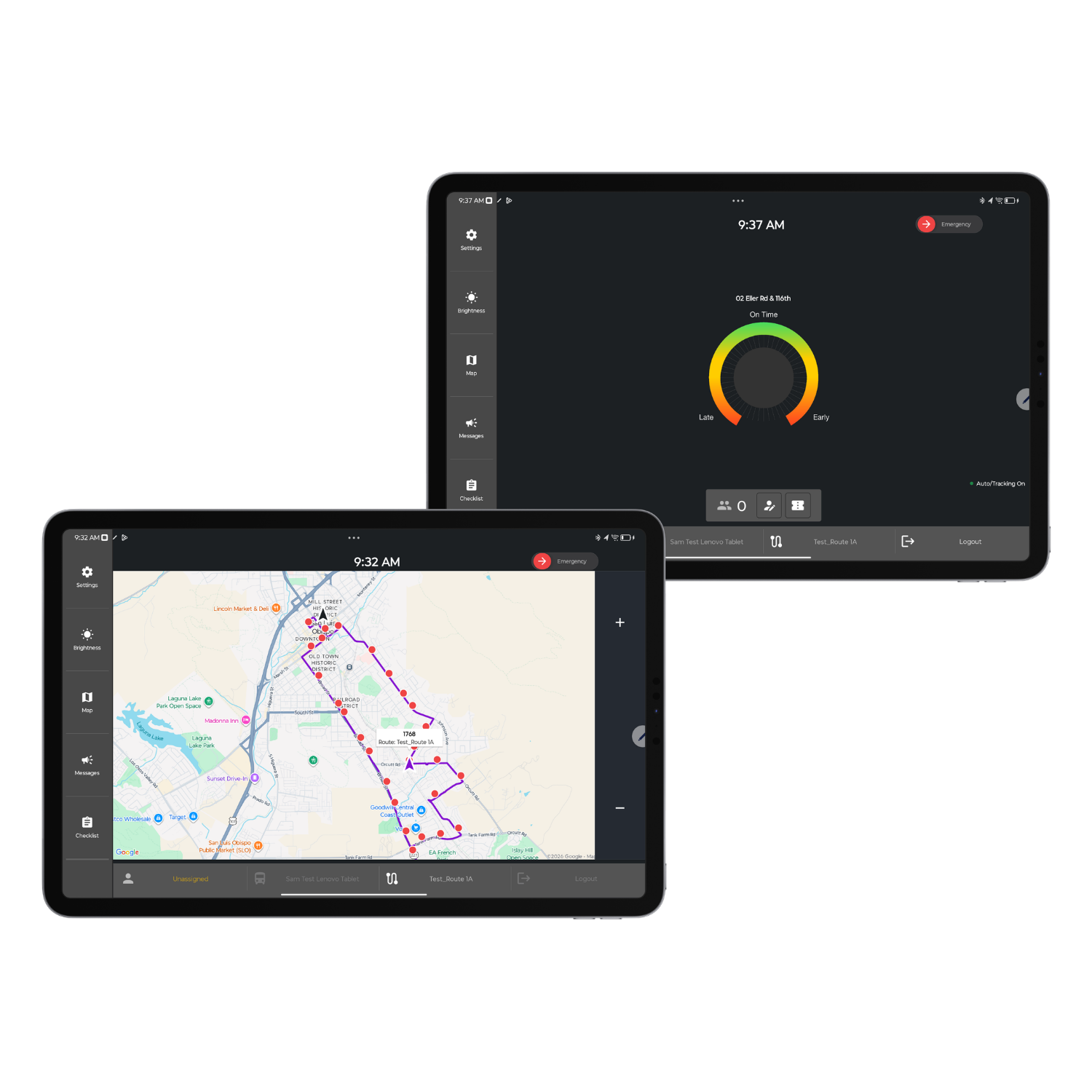
Give every operator a connected in-vehicle workstation. Peak Transit's Mobile Data Terminal (MDT) puts schedules, dispatch messaging, pre-trip checklists, incident reporting, geofence alerts, and passenger counting on one screen - so drivers stay informed, dispatchers stay in control, and your service stays on time.
Mobile Data Terminal Software for
Fixed Route Transit Operations

Trusted by transit agencies nationwide
What is a Mobile Data Terminal in transit?
A Mobile Data Terminal (MDT) is the in-vehicle tablet or display that connects each driver to dispatch, the CAD/AVL system, and the tools they need to run a scheduled route. Peak Transit's MDT is more than a screen - it's a complete driver workstation that handles two-way communication, vehicle inspections, schedule visibility, incident documentation, and passenger data capture, all in a single interface designed for transit operators.
The Peak Transit difference
Our platform works with industry-standard, transit-grade MDTs - and gives you flexibility in how you get there. Agencies can source hardware directly through Peak Transit or bring their own compatible devices. Either way, your operators get the same purpose-built interface and real-time CAD/AVL integration.
Core Capabilities
A complete in-vehicle workstation for every operator

Efficient two-way communication with dispatch
As the dispatch software layer of your fleet, drivers and dispatchers stay connected without picking up a radio. Send and receive canned messages for the most common situations, type freeform messages when needed, and keep a written record of every exchange.
Benefits for your operations
- Pre-built canned messages for fast, consistent responses
- Text-to-Speech messaging so drivers stay focused on the road
- Full message history tied to vehicle, route, and operator
- Reduces radio congestion across the fleet
Pre-trip and post-trip inspection checklists
Replace paper inspection forms with digital pre-trip and post-trip checklists right on the MDT. Drivers walk through every required check before pulling out of the yard, and supervisors get an instant record of what was inspected, what passed, and what needs attention.
What you can do
- Configure custom checklist items for each vehicle type
- Require photo documentation on flagged items
- Capture electronic operator signatures
- Generate maintenance work orders from failed inspections
- Build a defensible inspection record for safety audits and FTA compliance


Incident reporting with photo capture
When something happens on route - a curb strike, a passenger incident, a road hazard - drivers can document it in seconds without leaving the seat. Capture the details, attach photos, and route the report straight to supervisors for follow-up.
What you can do
- Submit incident reports with attached photos in under a minute
- Auto-tag reports with GPS location, time, vehicle, and operator
- Route incidents to the right supervisor by category
- Build a searchable history for risk management and insurance
- Cut down on missed details from after-shift paper reports
Geofence alerts and zone-aware operations
Trigger audio and visual alerts the moment a vehicle enters or exits a defined zone. Use geofences to remind drivers of speed restrictions, reduced-noise areas near hospitals, school zones, depot entrances, or any location where behavior needs to change.
Data-driven improvements:
- Audio + visual cues so drivers don't miss alerts
- Custom zone shapes for any route, campus, or facility
- Trigger reminders for speed, announcements, or stop-specific actions
- Log every geofence entry and exit for review
- Tie geofences directly to your route map in the CAD/AVL system


Passenger counting on the MDT
Capture ridership data without adding hardware. Use built-in manual passenger counting on the MDT for quick boarding tallies, or add Automatic Passenger Counters (APCs) for hands-free, door-sensor-based counts that feed straight into your reporting.
What you can do
- Manual passenger counting built into the MDT interface
- Optional APC integration for automated, NTD-grade counts
- Boardings and alightings recorded by stop and time
- Feeds directly into ridership and service planning reports
- Supports National Transit Database (NTD) reporting requirements
Real-time schedule and route information
With real-time vehicle tracking built in, drivers see their assigned block, run, next stop, and on-time status at a glance. The MDT tells them whether they're early, on-time, or late at every timepoint - so they can self-correct before dispatch has to step in. When operators need spatial awareness, a live map view displays their route and stops alongside the real-time positions of other vehicles in the fleet.
What you can do:
- Live schedule adherence indicator (early / on-time / late)
- Next stop, next timepoint, and remaining route preview
- Block and run assignment visible to the operator
- Map view showing route, stops, and relative fleet positions
- Detour and reroute updates pushed in real time
- Works seamlessly with Peak Transit CAD/AVL
Industries we serve
MDT configurations tailored to your transit environment

City buses cover long shifts, multiple routes, and a wide range of passenger interactions. The MDT gives your operators canned messaging, incident reporting with photos, and real-time schedule adherence so service stays consistent across every route in your network.
City buses
regional authorities
county services
Multi-jurisdictional transit

Campus shuttles run tight loops with frequent stops and class-time surges. The MDT helps student-operator workforces stay on schedule with pre-trip checklists, geofence alerts near pedestrian-heavy zones, and built-in passenger counting for ridership reporting.
Intercampus connectors
Parking shuttles
Campus circulators
Student housing shuttles

Rental car shuttles, parking circulators, and employee transport require precise timing and constant communication. The MDT keeps drivers in sync with dispatch through canned messages, geofence-triggered alerts at terminals, and incident reporting that protects the agency on busy airport roadways.
Rental car shuttles
Airport ground transport
Employee transport
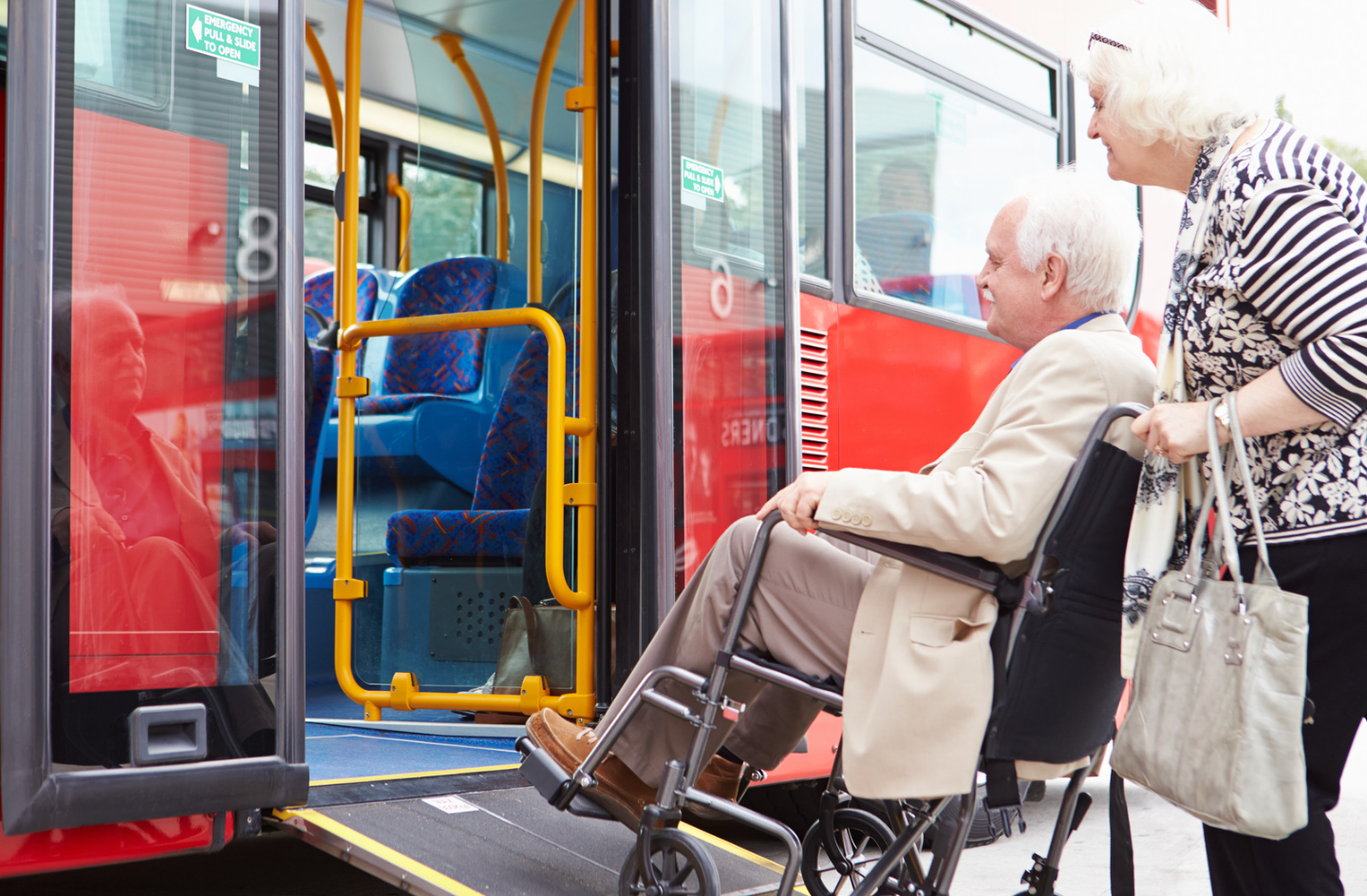
Patient, visitor, and staff shuttles operate in sensitive environments where quiet zones, ADA compliance, and reliability matter. The MDT supports hospital transit with geofence alerts for reduced-noise areas, pre-trip checklists for ADA equipment, and clear communication during shift changes.
Multi-campus shuttles
Patient Transport
Shift-change Routes
Medical center parking
Enhanced driver connectivity
Real-time access to schedules, performance, alerts, and on-vehicle hardware status keeps every operator informed and connected to dispatch from pull-out to pull-in.
Streamlined operations
Road supervisors can measure, message, and adjust on the fly. Every interaction with the MDT generates data you can use to manage service in the moment.
Comprehensive driver tools
Pre-trip checklists, canned and text-to-speech messaging, incident reporting, geofence alerts, and passenger counting in one consolidated interface - no juggling apps or paper.
Safer, more focused drivers
Audio alerts, structured workflows, and minimal-tap interactions are designed to keep operators' attention where it belongs: on the road.
Built-in compliance support
Electronic inspection records, incident documentation, and ridership data give you a defensible paper trail for FTA audits, NTD reporting, and insurance reviews.
One platform, one source of truth
The MDT is fully integrated with Peak Transit CAD/AVL, passenger counting, rider apps, and digital signage - so the data you capture in the vehicle flows everywhere it needs to go.
Technical Specifications
Hardware-flexible, transit-ready technology
Peak Transit's MDT software runs on rugged tablets, purpose-built transit MDTs, and standard iOS/Android devices - so you can choose the form factor that fits your vehicles and budget.
iOS/Android
Flexible hardware support
- Runs on rugged tablets, transit-grade MDTs, and consumer iOS/Android devices
- Mount options for any vehicle type
- Bring-your-own-hardware where it makes sense
- Pre-configured devices available from Peak Transit
3s
Real-time performance
- GPS updates every 3-5 sec with PT hardware
- Instant push of dispatch messages and route changes
- Sub-second response on common driver actions
- Offline mode for connectivity dead zones
SOC2
Security & Compliance
- SOC 2 Type II certified platform
- Encrypted data transmission between MDT and cloud
- Role-based access for operators, supervisors, and admins
- Regular security audits and updates
99%
Connected to everything
- Native integration with Peak Transit CAD/AVL
- Feeds passenger counting, rider apps, digital signage, and voice announcements
- API access for third-party systems
- Continuous over-the-air software updates
Implementation
Fast Deployment, Comprehensive Support
Get your MDTs in service quickly with Peak Transit's proven rollout process - most agencies are fully operational within weeks, not months.
Use Your Existing Hardware
Average 5 Weeks
Week 1-2: System configuration and route data import
Week 3: Dispatcher and administrator training
Week 4: Operator training and pilot routes
Week 5: Full system rollout across all routes
VS
INSTALL NEW Hardware
Average 8 Weeks
Week 1-2: System configuration and route data import
Week 3-4: Dispatcher and administrator training
Week 5-6: Operator training and pilot routes
Week 7-8: Full system rollout across all routes
Ongoing support included
Dedicated account manager, 24/7 technical support for critical issues, regular software updates, and continuous training resources for new operators as your team grows.
Comparison
Why agencies choose Peak Transit MDTs
Generic fleet tablets were built for delivery drivers and field service techs. Peak Transit MDTs were built for transit operators running scheduled service - and it shows in every workflow.
Peak Transit MDT
✓ Purpose-built for fixed route transit with schedule, block, and run awareness on every screen.
✓ Canned messaging tied to dispatch workflows for fast, consistent communication.
✓ Digital pre-trip and post-trip checklists with photo capture and signatures, configurable per vehicle type.
✓ Incident reporting with GPS-tagged photos routed to the right supervisor automatically.
✓ Geofence alerts with audio + visual cues designed for transit-specific zones.
✓ Built-in passenger counting with optional APC integration for NTD-grade reporting.
✓
Fully integrated with CAD/AVL, rider apps, signage, and announcements - no third-party glue required.
Generic Fleet Tablets
✗ Built for delivery and field service - no concept of routes, blocks, or timepoints.
✗ Basic text messaging with no transit-specific canned message library.
✗ Generic inspection forms with limited configurability for transit vehicles.
✗ Basic incident notes with no photo, GPS, or supervisor routing built in.
✗ No geofence audio alerts designed for in-vehicle use.
✗ No passenger counting - requires separate hardware and software.
✗
Requires custom integration to connect with transit systems.
FAQ
Common questions about Mobile Data Terminals for transit
What is a Mobile Data Terminal (MDT) in public transit?
An MDT is the in-vehicle tablet or display each operator uses to communicate with dispatch, view their schedule, complete inspections, report incidents, and capture passenger data. In modern fixed route transit, the MDT replaces paper logs, two-way radios for routine traffic, and standalone passenger counters with a single connected device.
What's the difference between an MDT and a regular tablet?
A regular tablet is a generic device. A Peak Transit MDT is a tablet running purpose-built transit software, hardened for in-vehicle use, integrated with your CAD/AVL system, and configured around the actual workflows operators run every shift - pre-trip inspections, canned dispatch messaging, schedule adherence, incident reporting, geofence alerts, and passenger counting.
Do we have to buy new hardware to use Peak Transit's MDT?
Not necessarily. Peak Transit's MDT software is hardware-flexible. It runs on rugged tablets, purpose-built transit MDTs, and standard iOS or Android devices. Many agencies use equipment they already own; others prefer pre-configured devices from Peak Transit. We'll recommend the right setup for your routes, vehicles, and budget.
Can drivers use the MDT to report incidents with photos?
Yes. Drivers can submit incident reports from the MDT in seconds, with attached photos, automatic GPS location, time stamp, vehicle ID, and operator ID. Reports route automatically to the appropriate supervisor based on incident category, creating a searchable record for risk management, insurance, and FTA compliance.
How do pre-trip checklists work on the MDT?
Pre-trip and post-trip inspections are fully digital. Each vehicle type can have its own checklist. Drivers walk through every required item on the MDT, can be required to attach photos for flagged conditions, and sign electronically. Failed items can automatically generate maintenance work orders so problems are addressed before the next shift.
What are geofence alerts and how are they used in transit?
Geofences are virtual boundaries you define around real-world locations - hospital quiet zones, school zones, depot entrances, terminal curbsides, reduced-speed areas. When a vehicle enters or exits a geofence, the MDT triggers an audio and visual alert so the driver can adjust behavior. Every entry and exit is logged for review.
Does the MDT include passenger counting?
Yes. The MDT includes built-in manual passenger counting for quick boarding tallies. For agencies that need automated, NTD-grade ridership data, Peak Transit also offers Automatic Passenger Counters (APCs) that integrate directly with the MDT and feed your reporting.
How does the MDT communicate with dispatch?
Through two-way messaging. Dispatchers can send canned messages, freeform messages, and route updates directly to one vehicle, a group of vehicles, or the entire fleet. Drivers respond with canned messages or text, and Text-to-Speech keeps them hands-free. Every message is logged and tied to vehicle, route, and operator.
Does the MDT work when there's no cellular signal?
Yes. The MDT supports offline mode for connectivity dead zones. Inspections, incident reports, and passenger counts captured offline are queued on the device and sync automatically when the connection is restored.
Is the MDT integrated with Peak Transit CAD/AVL?
Fully. The MDT is a native part of the Peak Transit platform. Schedule data, dispatch messaging, geofences, passenger counts, and incident reports all flow between the MDT, the dispatch console, the rider app, digital signs, and voice announcements without third-party integration.
How long does MDT implementation take?
Most agencies are fully operational within 4–6 weeks. This includes software configuration, device provisioning, in-vehicle installation, and full training for operators, supervisors, and dispatchers. We can phase the rollout by route, facility, or vehicle group if preferred.
Will the MDT help with FTA and NTD reporting?
Yes. Digital inspection records, incident logs with photos and GPS, and passenger counting data all build the documentation you need for FTA safety audits, NTD ridership reporting, insurance reviews, and internal compliance.
How does the MDT support FTA compliance and NTD reporting?
Digital pre-trip and post-trip inspection records, GPS- and photo-tagged incident logs, and passenger counting data give your agency a defensible, audit-ready paper trail for FTA compliance reviews and NTD ridership reporting - no separate systems to reconcile.
Get Started
Ready to put a connected MDT in every vehicle?
See how Peak Transit's Mobile Data Terminal streamlines driver communication, replaces paper inspections, captures ridership data, and keeps your fixed route service running on schedule.